

Blogs

Casio Prizm announced, is it a TI-Nspire Killer?

UPDATE: It is now possible to buy a Casio Prizm. To get highly anticipated calculator, click here to buy your Casio Prizm on Amazon. UPDATE: My Casio Prizm review is now live. You float into classroom, hovering over the desks. All around you, colors are radiating throughout the classroom You make your way to the teacher’s desk, where you see a TI-Nspire Clickpad. Suddenly, in a flash of color, the Nspire transforms to a new calculator you’ve never seen before with amazing new capabilities.


Continue reading

Android App Inventor for Education

With Google’s beta release of Android App Inventor over the summer came the promise that “normal people” would suddenly be able to crank out high quality Android apps without writing a single line of code. App Inventor is a visually based development environment, so rather than write code, developers use a series of icons to create apps. As with most Google products, App Inventor is “in the cloud,” meaning you use it through your browser, not a program you install onto your computer.

Continue reading

South African students study math via cell phone

The Associated Press reported on Thursday about an unusual experiment occurring out of necessity in South Africa. With students preparing for required graduation exit exams just less than a month a way, droves of them are turning for MXit, a popular instant messaging service, for assistance. Specifically, the students are using MXit to get answers to their math questions. Tutoring by cell phone was made necessary following a nationwide strike of South African teachers just before the all important exams.

Continue reading

Casio ClassPad 330 Review

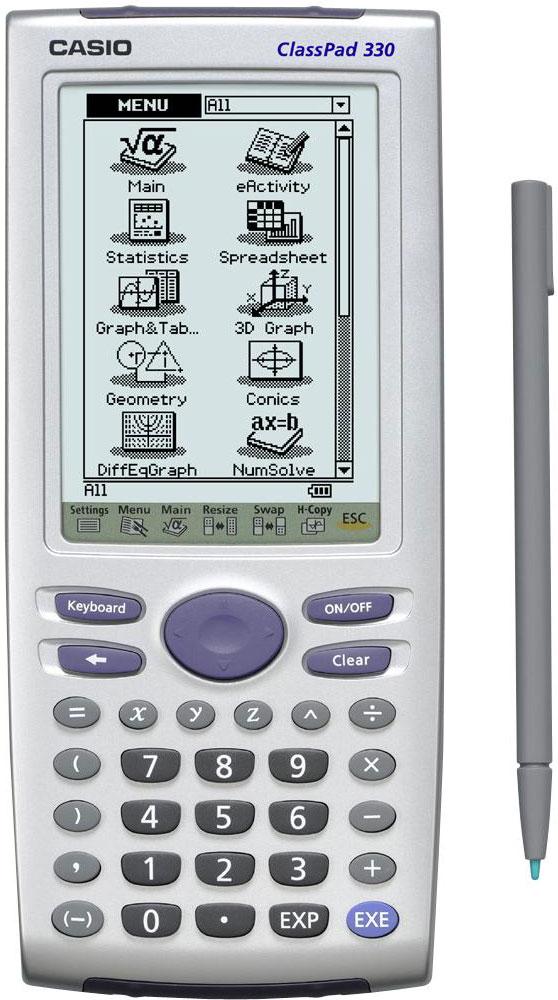
Please click here to buy your Casio ClassPad on Amazon. In 2003, the original Casio ClassPad 300 was a revolutionary device. Released near the height of the PDA craze, it’s stylus interface and high resolution screen (for the time) brought many of the popular features of “Palm Pilot” type devices to students and teachers in the classroom. Since 2007, the ClassPad 330 has been the latest version of the ClassPad series.

Continue reading

Top 6 Apps for the TI-84 Plus

What Are the Best Apps for the TI-84 Plus? PLYSMT2 PuzzPack Studycard Guess My Coefficients Conics Solve It! If you’ve just picked up a new TI-84 plus, one of your first questions is probably, “What are the best apps this thing?” There are many. In fact, the TI-84 Plus (especially Silver Edition) comes loaded with a lot of junk you’ll probably never use because many of the preloaded apps are for languages you don’t speak.

Continue reading

Kaplan’s free SAT and ACT question quizbank

UPDATE: Since this post, I’ve more posted a more recent review of Kaplan ACT & SAT Prep. When you’re prepping for the SAT or ACT, one of the best things you can do to improve your score is work on practice math problems. Kaplan is now providing a free tool for getting ACT or SAT practice problems online. Kaplan’s SAT Quizbank and ACT Quizbank allow students to get practice test problems with a lot of flexibility.

Continue reading

Casio fx-9750GII Review

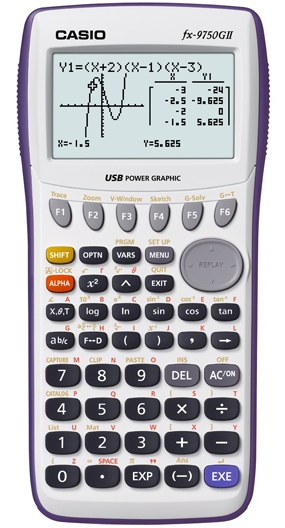
Please click here to buy your Casio fx-9750GII on Amazon . Casio’s 9750 series is the budget alternative in a lineup of Casio graphing calculators that is already the affordable alternative to Texas Instruments. The 2009 release of the the 9750GII introduced USB, making it even easier to upgrade your calculator’s operating system and upload apps. The natural comparison is the 9750GII vs. the 9860GII, its more powerful (and more expensive) bigger brother.

Continue reading

Casio fx-9860GII Review

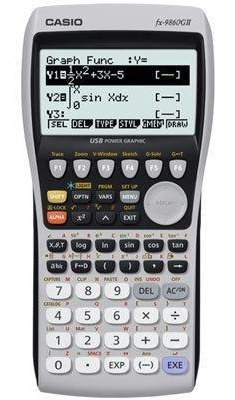
Please click here to buy your Casio fx-9860GII on Amazon . I’ve been a Texas Instruments guy for a long time. Most teachers are. TI has had the corner on the educational market for over a decade. That said, I’ve seen more Casio’s popping up in my classroom in recent years, and I recently decided it was time to investigate. I’ve spent a lot of hours over the last month investigating the question of Casio vs.

Continue reading

Video Lesson: Tables on the TI-84

The table feature allows you to quickly scroll the an x vs. y chart on your TI-84. This can be useful as early as first year algebra for students that are just learning to graph. It’s even more helpful to calculus students using their calculator to help find a limit. The end of the video demonstrates a quick method for using the table’s “ask” feature to help find a limit.

Continue reading

Video lesson: Tables on the TI-Nspire

The table feature allows you to quickly scroll the an x vs. y chart on your TI-Nspire. This can be useful as early as first year algebra for students that are just learning to graph. It’s even more helpful to calculus students using their calculator to help find a limit. The end of the video demonstrates a quick method for using the table’s “ask” feature to help find a limit.

Continue reading