

Blogs

Hackers Bring Tetris and 3D Graphing to Casio Prizm

I must admit that I’m not that good at keep up to date with the active community of graphing calculators hackers. I was interested to learn via an email update from the Cemetech staff that they have made significant inroads in their efforts to pimp out the Casio Prizm over the last couple of months. As Texas Instruments has continues to make the TI-Nspire line their premiere line of calculators, the hacker community has started to gain interest in the Casio Prizm, calculator that seems to generally be seen as more friendly to programming efforts.

Continue reading

Leapfrog Fridge Phonics Review

Click here to get the Fridge Phonics toy from Leapfrog.com. In a bit of a change from the kinds of reviews I normally do on Tech Powered Math, I’m reviewing an educational toy for little kids. My wife and I had our first child 16 months ago, and she’s starting to get interested in these kinds of toys, so I plan to add more Leapfrog educational toy reviews as well as toys and games from other “edutainment” manufacturers.

Continue reading

You Gotta’ Start Them Young

Just for fun, I thought I’d post this picture of my daughter’s early love affair with the TI-Nspire CX. It’s actually from the beginning of the school year and got quite a rise out of my friends when I posted it on Facebook. I don’t know why I never got around to posting it here. Anyway, in the months since, she has proven to be a quick study, rapidly moving through Pre-Calculus and on to AB Calculus.

Continue reading

Infographic: When Am I Ever Going to Use This?

Any math teacher can tell you that students constantly ask the question: “When are we ever going to use this?” Here’s an infographic that attempts to answer that question.   by Column Five Media.  

Continue reading

How to Replace a TI-Nspire CX Battery

Click here to get a new TI-Nspire rechargeable battery on Amazon. I’ve put together simple video tutorial on how to change the rechargeable battery on the TI-Nspire CX (or CX CAS). You won’t need anything but a set of mini screwdrivers and a new battery. As I say in the video, this is a fairly simple procedure which I’ve done many times without any problems. However, any time you take the calculator apart, there is a chance something could go wrong, so proceed at your own risk.

Continue reading

Infographic: America’s Education Report Card

This week’s Infographic Thursday brings us a look at how America is doing in education when compared with the rest of the world. by ejfox.  

Continue reading

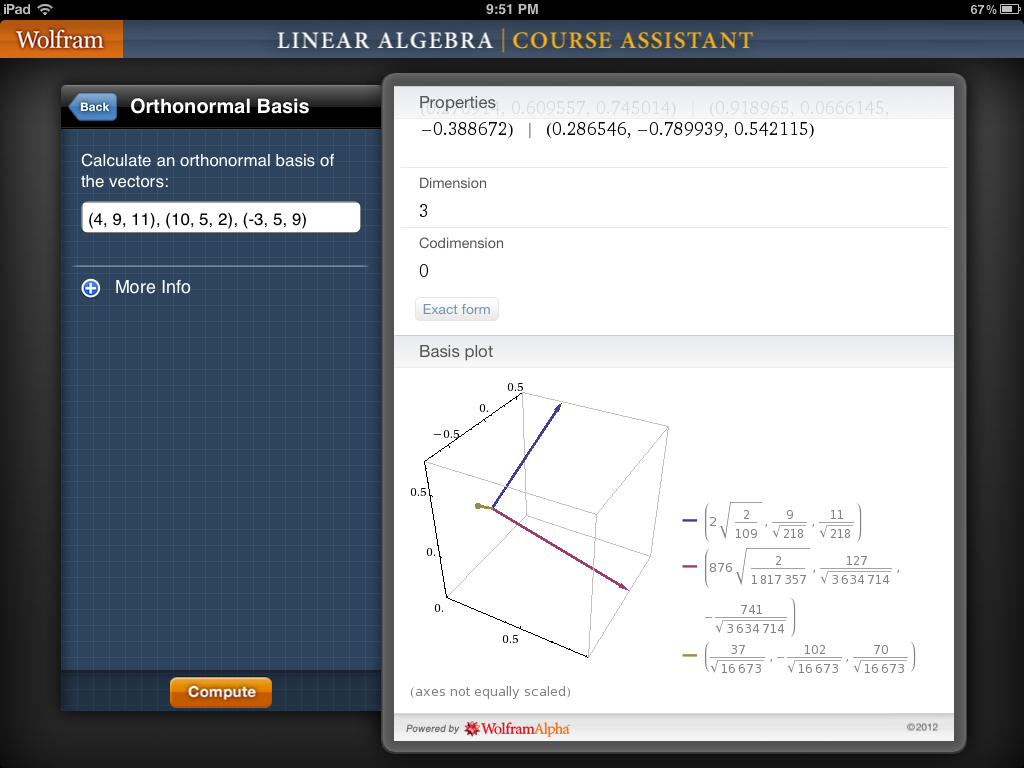
Wolfram Linear Algebra Course Assistant App Review

Device: iPad, iPhone Cost: $4.99 Ages: College I first became familiar with Wolfram Course Assistant app reviews last summer. These apps are essentially customized interfaces for Wolfram Alpha, Wolfram’s amazing “computational knowledge engine.” The apps strip down Wolfram Alpha to the specific functions that are needed for a particular course. They also often provide a custom interface for those functions. A recent Course Assistant release from Wolfram is Linear Algebra. I have to go all the way back to the Spring of 1998-99 school year for my experience in linear algebra, but a lot of terms and computations came flooding back as soon as I opened this app.

Continue reading

Interview With eNotebook Creator Kevin Giffhorn

Running a math technology blog, I get requests for app reviews on a regular basis. One of the more innovative educational apps I’ve seen in recent months has been eNotebook, from WeLearn Educational Software. eNotebook is an app that turns your iPad into an electronic notebook, allowing you to use an iPad to write on PowerPoint, Word, and PDF files. I was very interested to learn that eNotebook was created by a current high school math teacher, who is also the founder of WeLearn, Kevin Giffhorn.

Continue reading

eNotebook iPad App Review

Device: iPad Cost: $4.99 Ages: High school and up I’ve been working with the eNotebook app off and on for a couple of weeks now but haven’t had the chance to write about it until now. eNotebook was developed by a math teacher, Kevin Giffhorn, for students that want the ability to take their notes right on their iPad. It has a simple integration feature into Safari and email that allows you to send files in Powerpoint, PDF, or Word format to the app, where you can take notes right on top of them.

Continue reading

MathBlaster Apps for the iPad

Device: iPad/iPhone Cost: $2.99 Ages: Elementary school through early middle school This post is the start of another “App Week,” so be sure to keep checking back for a couple of more reviews as the week goes along. Last week I posted a video on YouTube about the Math Blaster iPad apps, and I wanted to get a quick post up on them here on Tech Powered Math. I took a look at two of the Math Blaster apps, HyperBlast and Zapper.

Continue reading